WordPress CSS Editor

Visual CSS editing,
directly on your site

Click any element, tweak any property, see changes live. No builder lock-in. Works with any WordPress theme.

Download Free See features →
PixelBrush editor in action
15+
Control Panels
Any WP Theme
AI Providers
0
Builder Lock-in

Click. Edit.
Done.

Activate PixelBrush from the admin bar. Click any element on your page. The panel loads its current styles instantly — ready to edit.
Crosshair picker — hover highlights any element before you commit
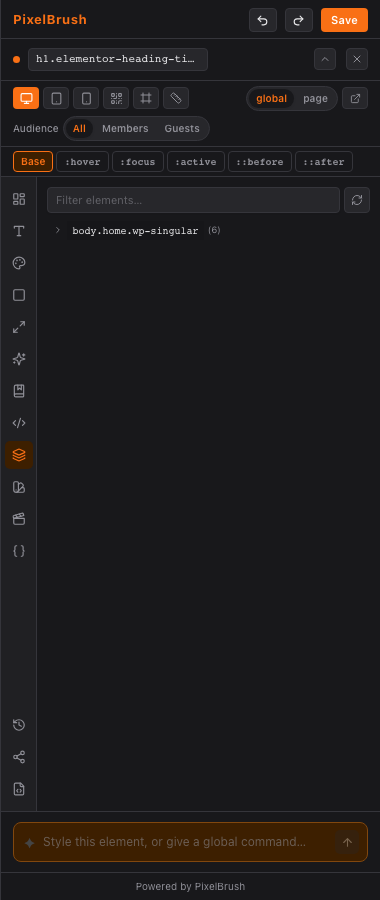
DOM tree navigator — browse the full element hierarchy, click to select any node
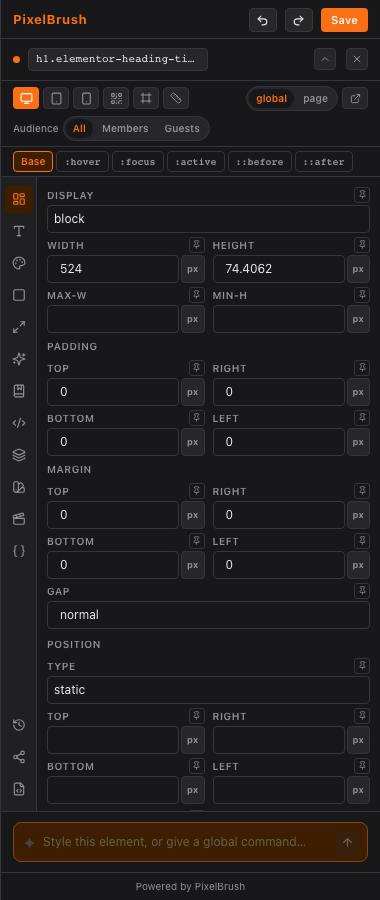
Drag handles — drag element edges to adjust padding visually
Live breadcrumb — see the element tag and class at a glance while hovering
Layout controls panel

Every text property,
one panel.

Font family, size, weight, line height, letter spacing, alignment, transform, and decoration — all on sliders and toggles that update instantly.
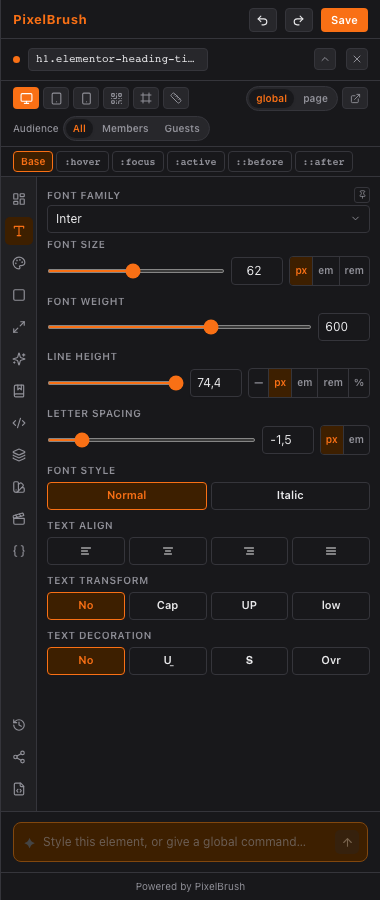
Drag sliders for font size, weight, line height, and letter spacing
Unit cycling — switch between px, em, rem, % with one click
Google Fonts — browse and apply any font family
Typography controls panel

Every CSS property covered

15 specialized control panels. Each one built for its domain — not a generic list of inputs.
Layout
Layout
Display, dimensions, flex/grid controls, position
Typography
Typography
Font, size, weight, spacing, alignment, transform
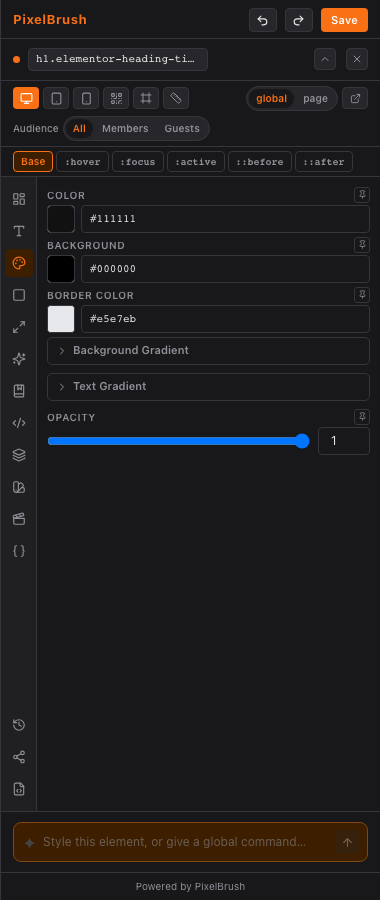
Colors
Colors
Text, background, gradients, Brand Kit swatches
Spacing
Spacing
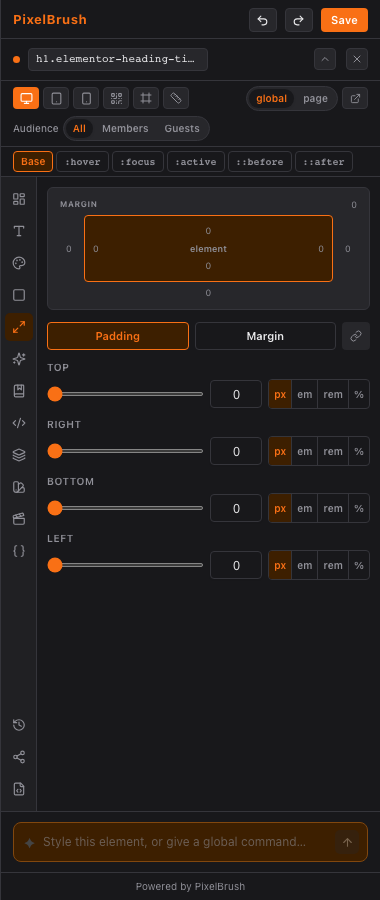
Padding and margin with visual box model diagram
Effects
Effects
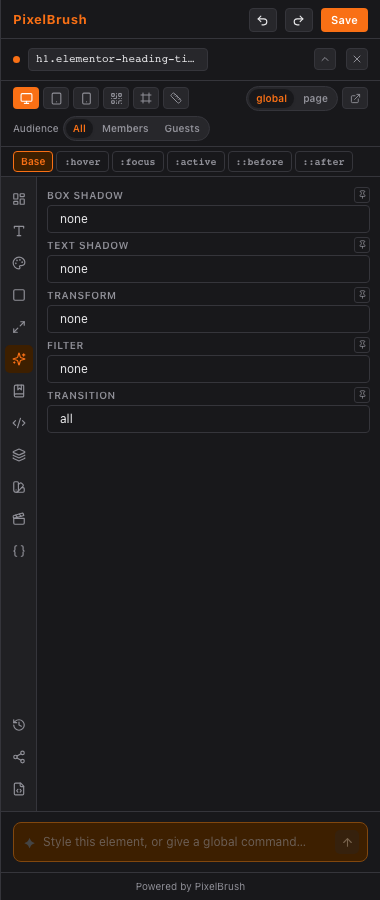
Box shadow, opacity, blur filters, transforms
Navigator
Navigator
Full DOM tree with search, expand, and click-to-select

Style classes,
not individual posts.

Most tools generate hyper-specific selectors that target a single element. PixelBrush strips WordPress and WooCommerce auto-generated IDs so your styles apply globally — the way CSS was meant to work.
/* Other tools — one product only */
body li.product.type-product.post-677 {
  width: 100% !important;
}

/* PixelBrush — all products */
body li.product.type-product {
  width: 100% !important;
}
Strips post-ID classes (post-677, postid-12, page-id-5)
Strips Elementor hashes (elementor-element-a3b7c2)
!important toggle on every property to override theme specificity
Colors panel with smart selector

:hover, :focus, ::before —
all covered.

Switch between Base, :hover, :focus, :active, ::before, and ::after states. Every style you set is scoped to the exact pseudo-state you selected. Pair with breakpoints for responsive control at mobile, tablet, and desktop.
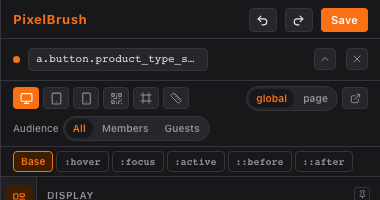
6 pseudo-states — base, hover, focus, active, before, after
3 breakpoints — desktop, tablet, mobile with viewport simulation
Global vs Page scope — apply to all pages or only the current one
Pseudo states and breakpoints

Describe the change.
AI writes the CSS.

Type what you want in plain English. The AI reads the element's context, writes precise CSS, and applies it live — with Undo if you don't like it.

You:  "Make this heading white, 64px, bold with a subtle text shadow"
h1.elementor-heading-title {
  color: #ffffff;
  font-size: 64px;
  font-weight: 700;
  text-shadow: 0 2px 12px rgba(0,0,0,.3);
}
Works with Anthropic Claude and OpenAI GPT — your API key, your bill
Element context aware — AI knows the current selector and computed styles
Streaming responses — changes appear live as the AI generates
AI assistant

Built for real WordPress sites

🎨
Brand Kit
Extract colors from your site's CSS variables. One-click swatches in every color picker.
📐
CSS Variables
View and edit all CSS custom properties across your theme from a single panel.
🔁
History & Undo
Full undo/redo stack. Revision history with one-click restore to any past state.
✂️
CSS Snippets
Save reusable CSS blocks. Apply snippets to any element in one click.
🌐
Animations
Configure CSS keyframe animations visually — duration, easing, delay.
🔒
White Label
Replace branding with your agency name and logo. Ship under your own product.
📱
Responsive Preview
Simulate mobile and tablet breakpoints in the editor without resizing your browser.
Accessibility
Built-in accessibility checks for contrast ratios and ARIA properties.
💾
CSS Export
Export all your custom styles as a clean CSS file. Import into any project.
Get Started

Start editing your WordPress site
the way it should work.

No page builder required. Works with Elementor, WooCommerce, Divi, and any custom theme.

Download PixelBrush View all features